GST Reconciliation Format in Excel: Free Template + Formulas
Download a free GST reconciliation format in Excel, plus the exact XLOOKUP formulas to match GSTR-2B with your books — and where Excel quietly costs you ITC.
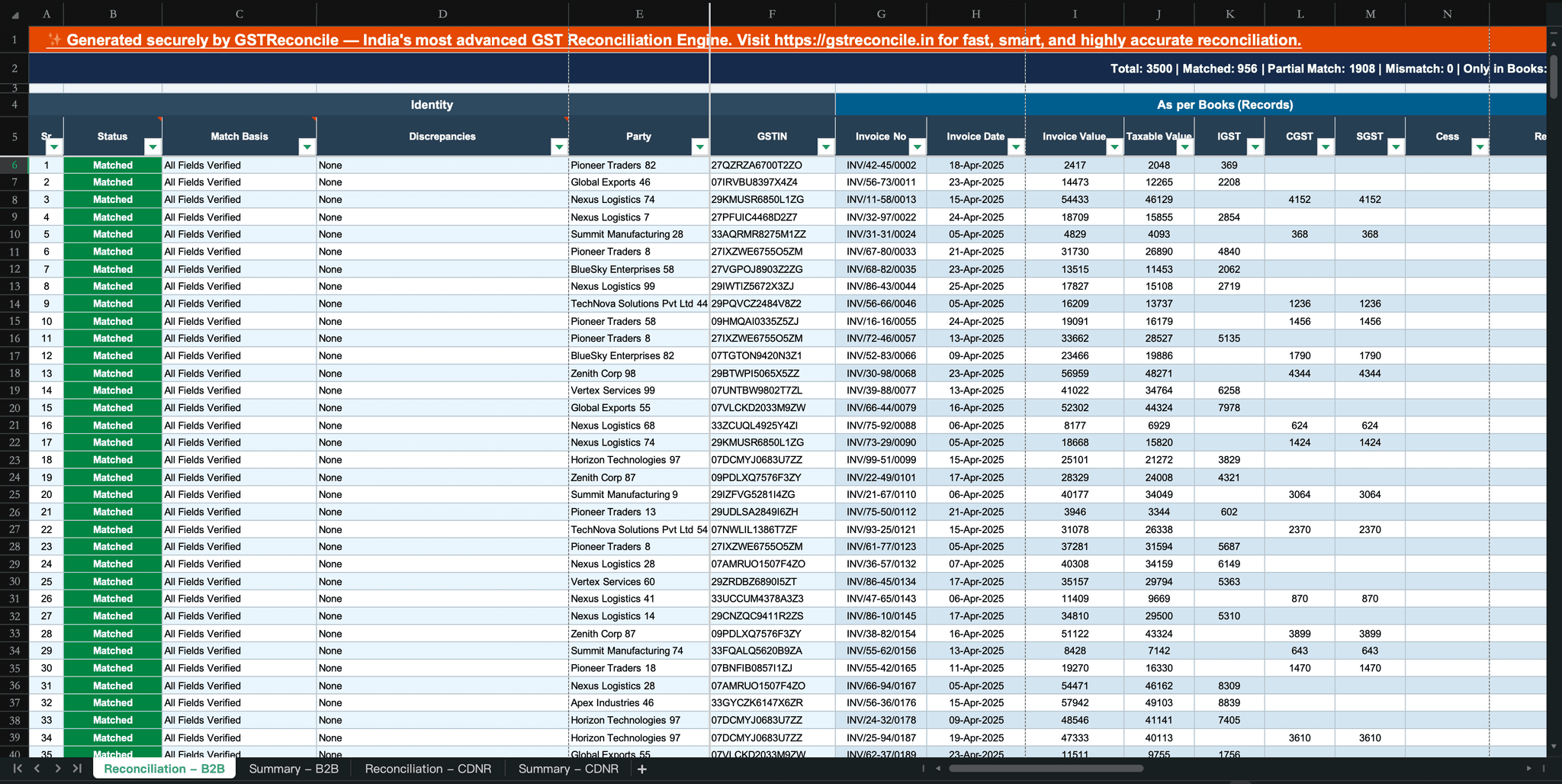
Formulas tested in current Excel (XLOOKUP). GSTR-2B facts current for FY 2026-27; ITC eligibility per Section 16(2)(aa), CGST Act — the invoice must appear in your GSTR-2B.
Every month it's the same ritual: export the purchase register, download GSTR-2B, and build a reconciliation sheet in Excel before the ITC claim goes into GSTR-3B. This article gives you the exact GST reconciliation format in Excel — the columns, the formulas that do the matching, and a free template to start from — and then it does the thing the download pages won't: shows you exactly where the Excel method quietly breaks and costs you ITC.
If you just want the file: grab the free Books template — the same purchase-register layout our browser-based reconciliation tool uses, with no macros and no licence key. Then come back for the formulas.

The GST reconciliation format in Excel: the columns you actually need
A working reconciliation sheet needs two blocks with identical columns — one for your Books (purchase register), one for GSTR-2B — so a formula can line them up. Keep these ten columns on both sides:
| Column | Why it’s there |
|---|---|
| Supplier GSTIN | The anchor for supplier-wise matching and totals |
| Supplier name | Human readability; never the match key (names vary) |
| Invoice number | The primary match key — and the source of most false mismatches |
| Invoice date | Period checks; catches invoices booked in the wrong month |
| Taxable value | The base to compare before tax |
| CGST / SGST / IGST | Split, because a wrong tax head is a real mismatch |
| Total tax | The figure your ITC claim rides on |
| Match status | Matched / Mismatch / Missing in 2B / Missing in Books |
| Variance (₹) | The rupee gap where values don't tie out |
Match on invoice number + GSTIN, never on supplier name or amount alone. Two vendors can raise the same invoice number; one vendor can raise two invoices for the same amount. GSTIN + invoice number is the only combination that's actually unique.
Download GSTR-2B from the portal in Excel (Returns → GSTR-2B → download), paste your Books into the second block, and you're ready to match.
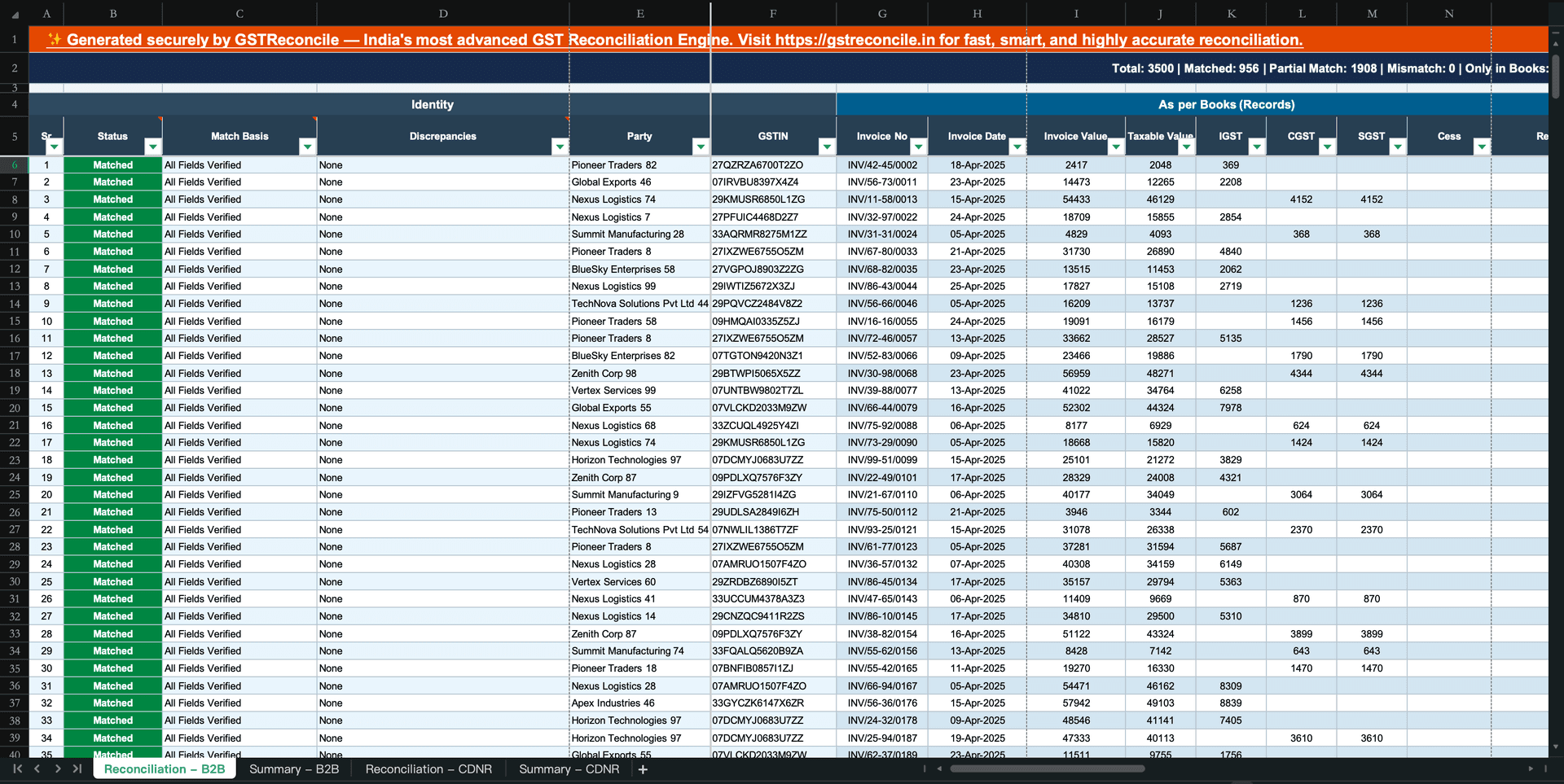
The 5 Excel formulas that do the matching
Here's the whole matching engine in five formulas. Assume Books is your working sheet and 2B[...] is the GSTR-2B table.
1. Pull the 2B value against each Books invoice (XLOOKUP)
2. Flag a real value mismatch — with a ₹1 tolerance (ABS + IF)
The >1 matters: the portal rounds tax to the rupee, your books may carry paise. Without the tolerance, Excel flags identical invoices as mismatches all day.
3. Supplier-wise ITC totals (SUMIFS)
4. Catch duplicate invoices before they inflate ITC (COUNTIFS)
5. Clean the invoice number before you match (TRIM + UPPER)
This removes trailing spaces and case differences — the two most common reasons a perfectly valid credit shows as "missing."
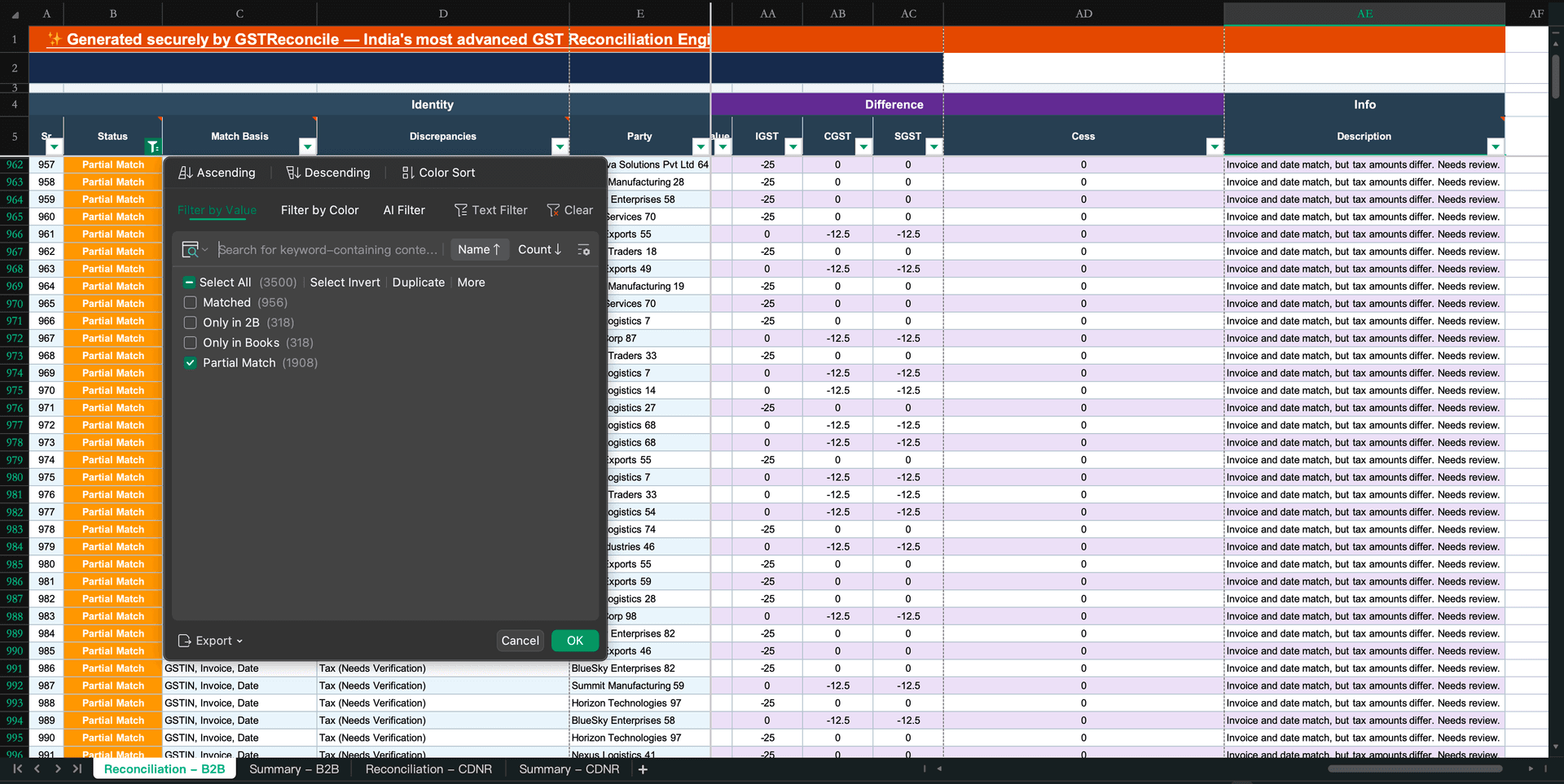
How to reconcile GSTR-2B with your books in Excel, step by step
Pull the Excel from the portal for the period. It's static once generated around the 14th, so the file won't shift under you mid-reconciliation.
Drop your Books export into the matching template — the same ten columns, in the same order, on both sides.
Run TRIM/UPPER on invoice numbers; make sure GSTINs have no stray spaces and dates are real dates, not text.
Pull the portal tax figure alongside your book figure so the two sit in the same row.
Use the ABS formula so paise-level rounding doesn't get reported as a mismatch.
Run credit/debit notes in their own pass, not mixed with B2B invoices — the sign convention is opposite.
Matched, Mismatch, Missing in 2B (chase the vendor), or Missing in Books (record it).
See where the ITC at risk actually sits — then claim only what's reflected in 2B, per Section 16(2)(aa).
That's a clean reconciliation for a few dozen invoices. Now the part the template pages skip.
Where Excel quietly fails (and silently costs you ITC)
XLOOKUP is an exact-match function. Real invoice data almost never matches exactly. That gap is where credits go missing — not because the ITC is gone, but because the formula couldn't see it.
Here's what breaks a spreadsheet reconciliation at real volume — every one of these shows up as a false "Missing in 2B," and every false miss is a credit you might not claim:
- Leading zeros vanish. Books shows
0042, Excel silently converts it to the number42, GSTR-2B carries the text0042— XLOOKUP returns#N/A. The credit is fine; the format killed the match. - FY prefixes don't line up. 2B has
GST/202526/0042, your team typed42. Exact lookup misses it entirely. - O-for-0 and I-for-1 typos.
INVO123vsINV0123— one character, and the invoice reads as missing. - ₹1 rounding. Covered by the ABS tolerance above — but the default exact-match templates don't include it, so they over-report mismatches.
- CDNR mixed into B2B. Credit and debit notes carry negative tax and reduce your ITC. XLOOKUP them in the same pass as B2B invoices and you either get no match or the wrong sign — quietly overstating your claim. CDNR must be a separate pass.
- Duplicates hide in plain sight. Enter the same invoice twice in Books and XLOOKUP returns the first match only — the duplicate silently inflates ITC and never gets flagged unless you added the COUNTIFS check (most templates don't).
- Excel tells you "unmatched," never "why." You still open every mismatch by hand to decide: typo, vendor hasn't filed, or genuinely at risk. On 30 invoices that's an afternoon. On 3,000 across a dozen clients it's the whole week.
None of these are edge cases you can ignore — they're the normal state of Indian invoice data. A reconciliation that assumes clean, exact-matching invoice numbers isn't reconciling; it's generating a mismatch list that's mostly noise.
When to stop fighting the spreadsheet
Excel is fine for a handful of invoices. The moment you're running a full month — or multiple clients — the failures above stop being annoyances and start being ITC leakage.
That's the gap GST Reconcile was built for. It runs the same match as your XLOOKUP, but through a 21-rule classification engine that normalises the invoice number before comparing — the typo map, FY-prefix stripping, leading-zero and date-string handling — so the false "missing" rows disappear and what's left is genuinely at risk. It reconciles CDNR separately from B2B, flags duplicates in both Books and 2B, and gives you a GSTIN Summary showing ITC at risk per supplier in rupees — the "why," not just the "unmatched." It's rules-based and deterministic (same inputs, same result every run), it runs in your browser so client files never leave your machine, and it takes the same Books template you'd have built in Excel anyway.
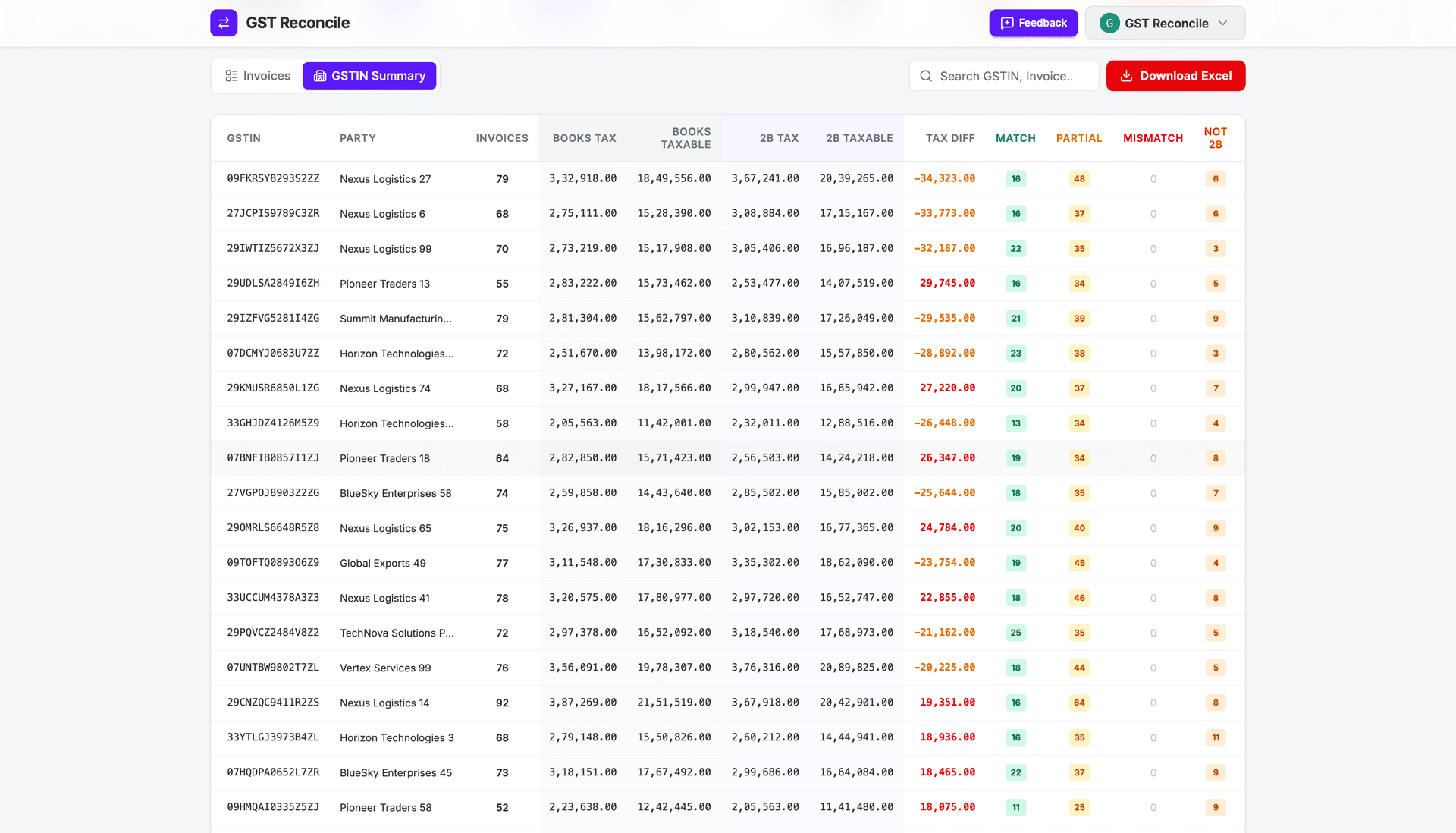
And when a mismatch is real, knowing whether the credit is recoverable or gone is its own decision — our guide on which ITC mismatches are recoverable picks up where the sheet leaves off. For the full monthly workflow end to end, see the GSTR-2B reconciliation guide.
Start with the Excel format above — it's the right way to learn what reconciliation actually checks. Just don't mistake a clean-looking spreadsheet for a clean ITC claim.
Frequently Asked Questions
How do I make a GST reconciliation in Excel?
Put your purchase register (Books) and your GSTR-2B in two sheets with identical columns — supplier GSTIN, invoice number, invoice date, taxable value, CGST/SGST/IGST, total tax. Add a match column using XLOOKUP on invoice number, and a variance column using ABS with a ₹1 tolerance. Then classify each row as Matched, Mismatch, Missing in 2B, or Missing in Books.
What columns should a GST reconciliation format in Excel have?
Ten core columns, kept identical on both the Books and GSTR-2B sides: Supplier GSTIN, Supplier name, Invoice number, Invoice date, Taxable value, CGST, SGST, IGST, Total tax, and a Match/Status column — plus a Variance (₹) column to show the difference where values don't tie out.
Can I download a free GST reconciliation Excel sheet?
Yes — download our Books template (the same purchase-register format the GST Reconcile tool uses). It gives you the correct column layout to paste your data into and reconcile against your GSTR-2B portal download, with no macros or licence key.
How do I reconcile GSTR-2B with my books in Excel step by step?
Download GSTR-2B in Excel from the portal, paste your purchase register into the matching template, clean invoice numbers and GSTINs (TRIM/UPPER), XLOOKUP each Books invoice against 2B, flag value differences over ₹1, and reconcile credit/debit notes (CDNR) in a separate pass from B2B invoices.
Why does my Excel reconciliation show matches as mismatches?
Almost always a formatting problem, not a real ITC issue: Excel drops leading zeros (00042 becomes 42), FY prefixes differ (202526 vs 2526), O/0 and I/1 typos break exact lookups, and ₹1 rounding makes identical tax look different. XLOOKUP is exact, so it flags all of these as 'missing' when the credit is actually fine.
Reconcile Your GSTR-2B Free
No VLOOKUP gymnastics. No data stored on external servers.
Works with Tally, Busy & ClearTax. Up to 99.99% accurate.
No signup required · ₹450+ Cr ITC Saved · 12.5M+ Invoices Matched