Free GSTR-2B Reconciliation Tool — Runs in Your Browser
Reconcile GSTR-2B online — nothing to install, and your client files never leave your browser. Free, no signup, no JSON. Export the reconciled result back to Excel.
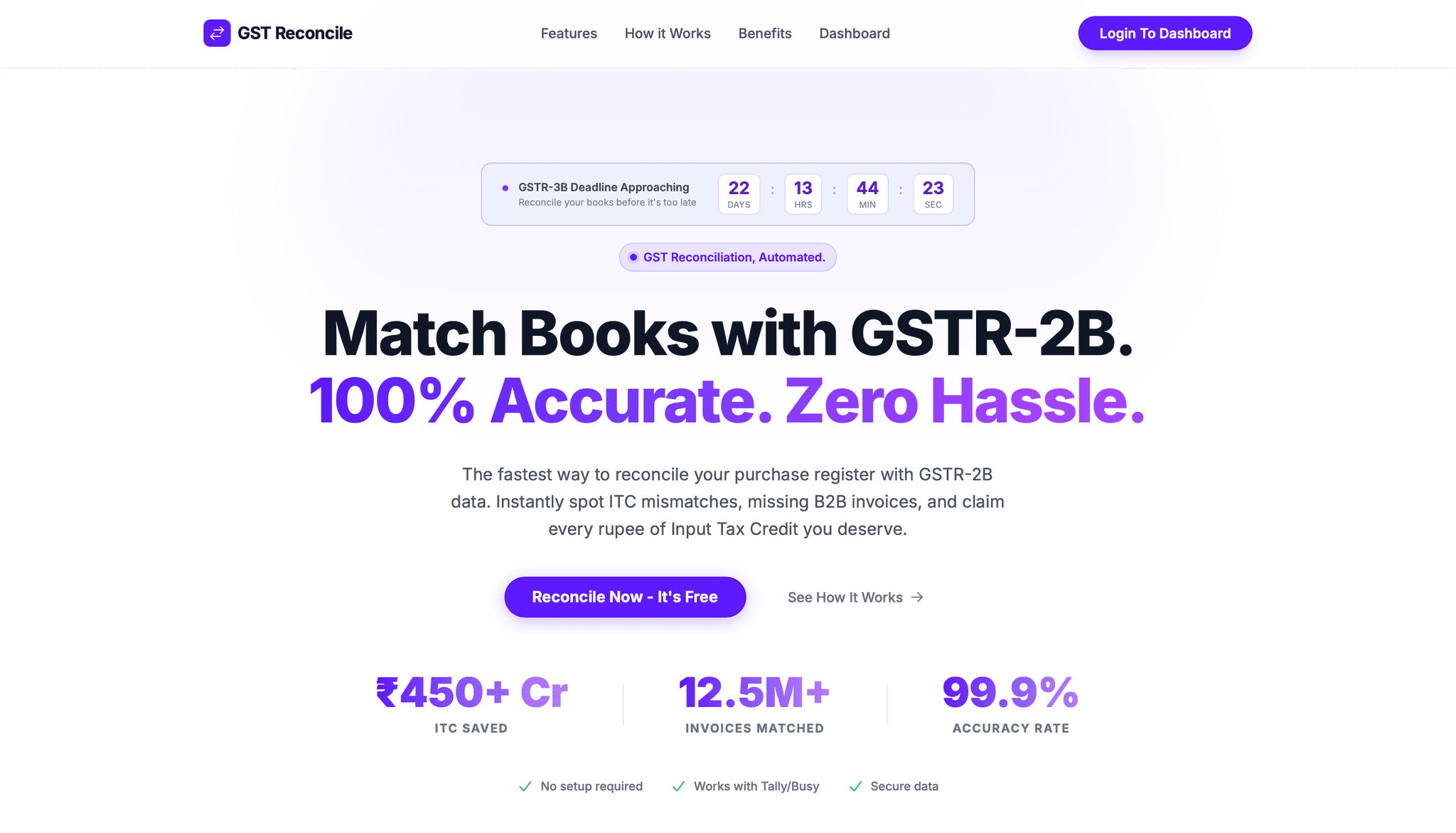
Reconcile GSTR-2B online — nothing to install, and your client files never leave your browser. That privacy line matters most on the 16th: GSTR-2B dropped on the 14th, GSTR-3B is due on the 20th, and you have a client's Purchase Register with 2,400 rows that needs to match against a 2B you just pulled off the portal. Every invoice you can't account for is ITC you either lose this month or claim and have to defend later.
The frustrating part isn't the reconciliation — it's the tooling around it. Most "free" GSTR-2B reconciliation tools make you generate a JSON file on the portal and wait for it, or sign up before they show you the full result, or upload your client's data to a server you've never heard of. This page is about a GSTR-2B reconciliation tool that skips all three: it runs in your browser, takes the GSTR-2B Excel exactly as the portal gives it to you, and never sends a single row to our servers.

What You Actually Get
GST Reconcile is a free, browser-based GSTR-2B reconciliation tool built for Indian CAs and accountants. You give it two files — your Books (Purchase Register) in our template, and the unmodified GSTR-2B Excel download from the portal — and it returns three things in seconds:
- Invoice-level classification: every invoice tagged matched, partial match, or ITC at risk, with the reason it landed there.
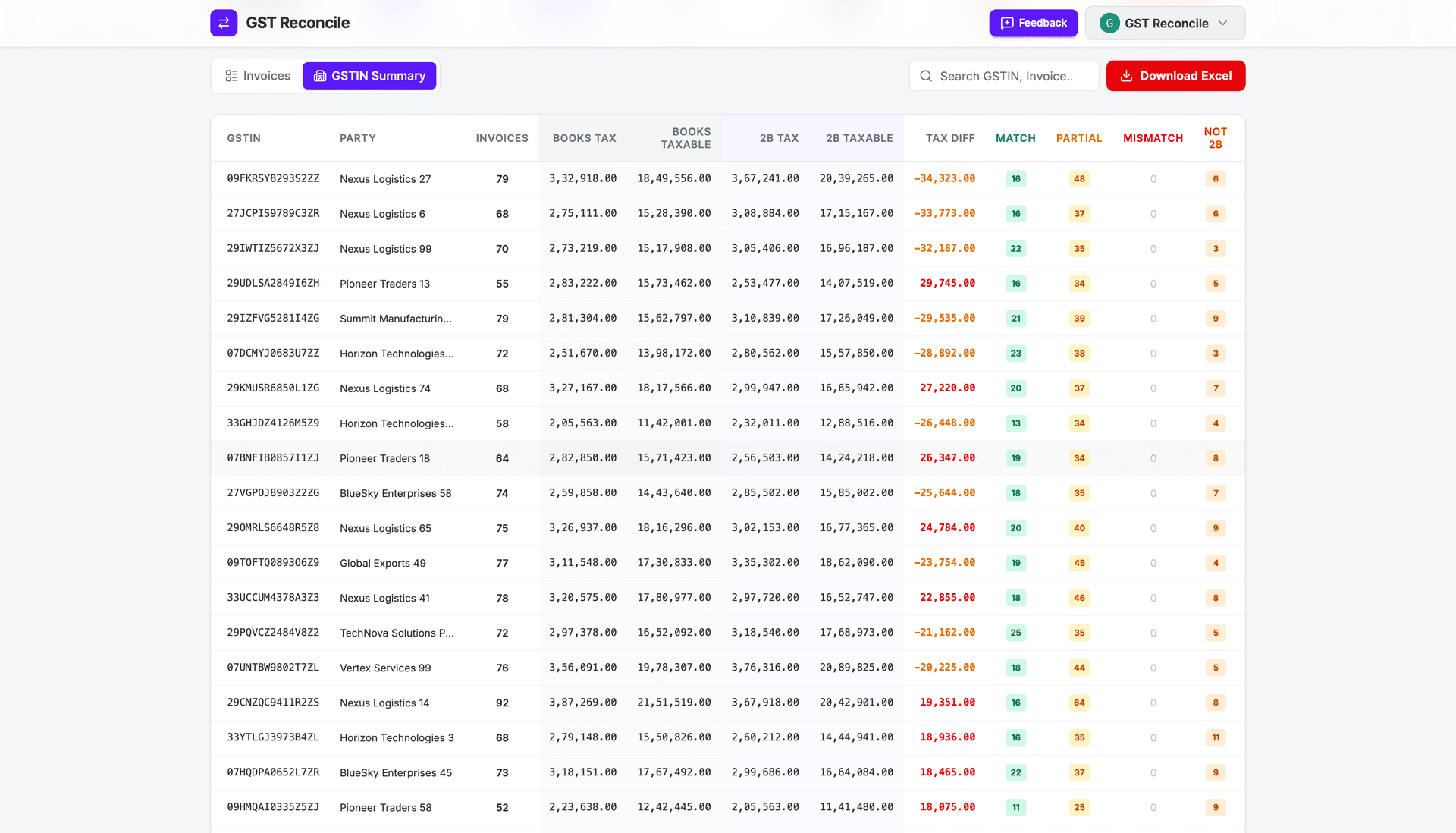
- GSTIN Summary: ITC at risk per supplier in rupees, sorted largest exposure first — so you know which vendor to chase before the deadline.
- Totals & Checks: Books vs 2B tax totals side by side, for a clean month-end sign-off.
No account. No install. No data leaving your machine.
What Separates a Usable Tool From a Checkbox Utility
A reconciliation tool earns its place on four things, and most of the free ones you'll find miss at least two.
1. Your client's data must stay on your machine. This is the one nobody else leads with. ClearTax's matching is a cloud app — its own page advertises an ISO 27001 data centre, which tells you the processing happens on their infrastructure, not yours. ICAI's EasyRecon keeps data local, but only because it's a Windows .exe you install. GST Reconcile reconciles entirely in the browser — there's no upload step to breach, because the file never leaves your laptop. For a CA holding 40 clients' purchase data, that's not a nice-to-have.
2. No JSON detour. This is the quiet time-sink. ClearTax and Finexo both want the GSTR-2B JSON — which means logging into the portal, clicking Generate JSON, and waiting for it to build (Finexo's own instructions note this can take up to 20 minutes), or installing a Chrome extension to batch it. GST Reconcile reads the GSTR-2B Excel the portal already gives you. Download, upload, done.
3. It has to tell you why, not just matched/unmatched. A red/green list — Finexo's "present in both / only in 2B / probable match" — tells you that something differs. It doesn't tell you whether it's a ₹0.50 rounding gap you ignore or a wrong GSTIN you escalate. GST Reconcile runs 21 deterministic rules and names the one that fired, plus the exact discrepancy.
4. Credit and debit notes reconciled separately. CDNR carries the opposite sign to a B2B invoice. Reconcile them in the same pass and your totals silently drift. GST Reconcile keeps B2B and CDNR in separate passes — the way the portal structures them.
How to Reconcile GSTR-2B With the Tool (3 Steps)
The whole flow is upload → reconcile → download. No formulas, no pre-formatting.
Step 1 — Get your two files
Download the Books template (Books_Template.xlsx) and paste your Purchase Register into the B2B sheet (and credit/debit notes into the B2B-CDNR sheet, if any). Separately, log into the GST portal and download your GSTR-2B as Excel — don't open and re-save it, don't touch the columns.
The Books template is non-negotiable, and we say so up front: the parser reads fixed column positions, so a raw Tally or ERP export won't work. Paste into the template and it just runs — see "The part we won't pretend about" below.
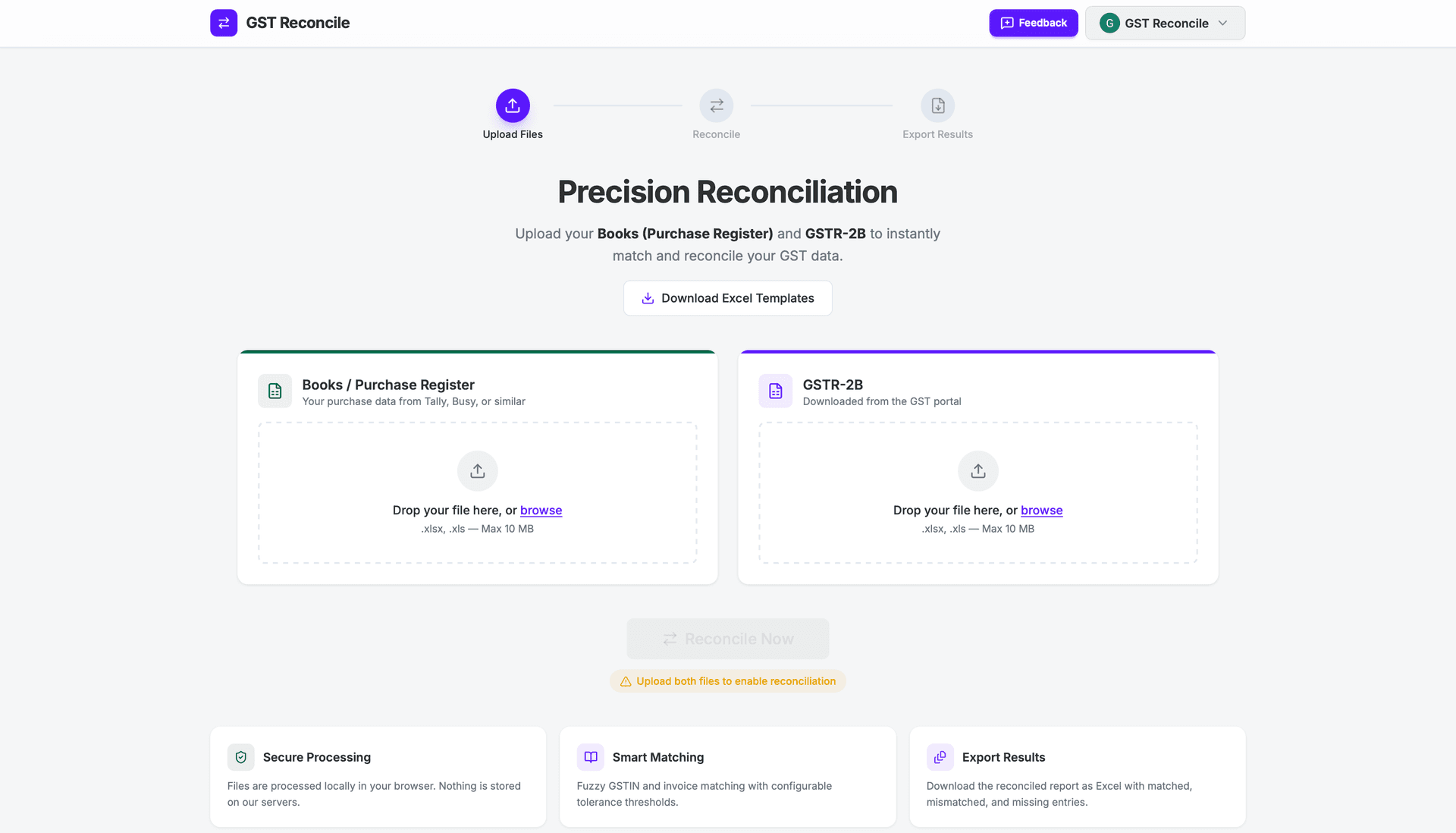
Step 2 — Drop both files in
Drag the Books file and the GSTR-2B Excel into the browser. The tool validates them first (flagging invalid GSTINs or missing invoice dates before it matches, so a dirty row doesn't quietly skew the result), then reconciles.
Step 3 — Read the result and act
Work the GSTIN Summary top-down — the supplier with the largest ITC at risk in rupees is your first call. Export the reconciled result back to Excel — a colour-coded report for your own file or to send the client. Cross-check Totals & Checks before you sign off the 3B.
Why "Matched / Unmatched" Isn't Good Enough
Here's the question every CA actually asks: why is this invoice a mismatch when the numbers look identical?
Nine times out of ten it's normalization. Your books say INV-1; the vendor filed INV/001. A VLOOKUP — or a bare matching utility — treats those as two different invoices and drops the ITC into "only in books." Worse: the vendor prefixes the financial year, so your 326 is their VCRPL/2025-26/326. Or there's a date string buried in the invoice number with a different format. Or a single O typed where a 0 belongs.
If you're still doing this in a spreadsheet, our GST reconciliation format in Excel has the columns and XLOOKUP formulas — and shows exactly which of these cases the formula can't see. For a full month, prefer the browser tool: it normalizes the invoice number before comparing, so those rows never reach your at-risk pile.
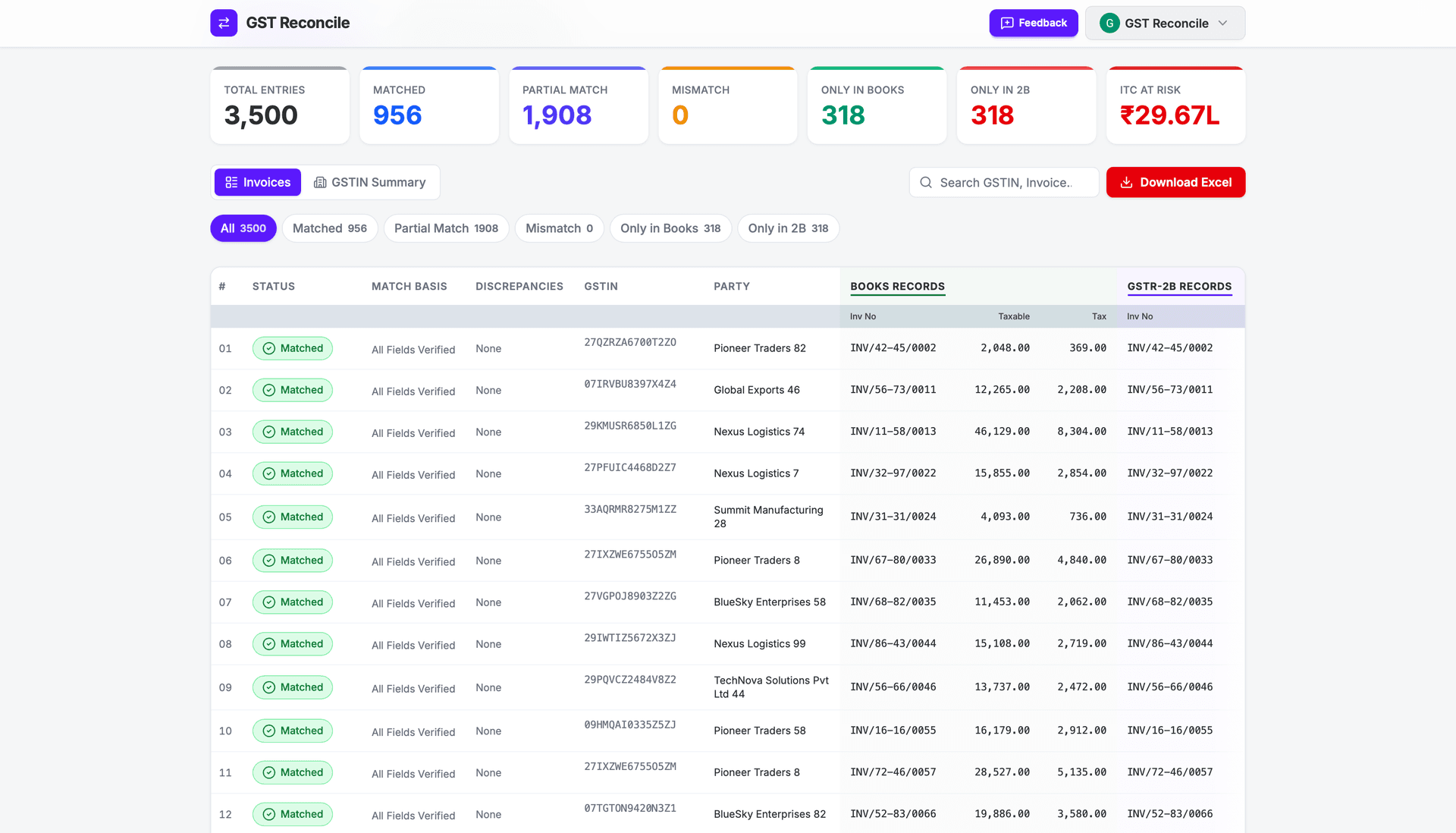
GST Reconcile runs these as deterministic passes — a typo map (O→0, I→1, S→5), an FY-prefix strip (2025-26 → 2526), date-format normalization, and non-alphanumeric stripping (so INV/001 and INV-1 collapse to the same key). When two records match after a pass, the result tells you which rule fired — "Invoice matched with typos," "FY prefix normalised" — so you can trust the match instead of eyeballing 2,400 rows.
It's rules-based, not AI. That's the point: a deterministic engine gives the same answer every time and shows its working, which is what you need when a notice asks you to justify a claim. "Advanced AI matching" can't be audited; 21 named rules can.
Want to see what this is costing in rupees before you switch tools? Our companion piece walks through it: ITC at Risk: how to calculate exactly how much GST credit you're losing.
How It Compares to the Other GSTR-2B Tools
| GST Reconcile | ClearTax 2B Matching | Finexo free tool | ICAI EasyRecon | |
|---|---|---|---|---|
| Runs in | Your browser | Cloud app (their data centre) | Online (location not stated) | Your desktop |
| Install required | No | No | No | Yes — Windows .exe |
| GSTR-2B input | Excel (as downloaded) | JSON | JSON | Excel |
| Signup for full result | No | Yes (to maximise ITC) | No | No |
| How it matches | 21 named rules, tells you which fired | “Advanced” (logic not published) | Exact + probable invoice no. | GSTIN + exact invoice no.; value tolerance |
| CDNR handled separately | Yes | Not stated | Listed together with B2B | Not stated |
| Price | Free | Free tool, paid suite | Free | Free |
The honest read: ICAI's EasyRecon carries the Institute's trust, and ClearTax has the deepest enterprise suite. But if you're a solo CA or a small firm who wants to reconcile a client's 2B right now — without an install, a signup, or a JSON wait — the browser-only path is the gap none of them fill. (For the full step-by-step methodology behind the matching, see the complete GSTR-2B reconciliation guide.)
The Part We Won't Pretend About
The tool does not auto-detect arbitrary Excel layouts, and we won't tell you it does. The GSTR-2B must be the unmodified portal download, and your Books must use our template — because the parser reads fixed column positions, which is also why it's fast and deterministic. Paste your data into the template once and every subsequent month is a 30-second job. A tool that promised to read "any format" would be lying to you, and you'd find out mid-deadline.
What to Do Next
If you reconcile even one GSTIN a month, run it through the tool once and compare it to your current process — particularly the JSON step you're probably doing by habit.
- New to the monthly flow? Start with the complete GSTR-2B reconciliation guide.
- Chasing suppliers who haven't filed? Vendor not filed GSTR-1? How to protect your ITC.
- Still pulling 2A out of habit? GSTR-2A vs GSTR-2B: which one for ITC in 2026.
Frequently Asked Questions
Is there a free GSTR-2B reconciliation tool?
Yes. GST Reconcile is a free GSTR-2B reconciliation tool for Indian CAs and accountants. Upload your Purchase Register (in the Books template) and your GSTR-2B Excel download, and you get a full reconciliation — matched, partial match, and ITC at risk — in seconds. No signup, no install.
Do I need to convert GSTR-2B to a JSON file?
No. GST Reconcile reads the GSTR-2B Excel file exactly as the portal hands it to you. Most other online tools require the JSON, which means generating it on the portal and waiting up to 20 minutes (or installing a browser extension). You skip that step entirely — download the 2B Excel, upload it unmodified.
Where is my client data processed — is it safe?
Reconciliation runs entirely inside your browser. Your Books file and GSTR-2B never get uploaded to our servers — there is nothing to breach, because the data never leaves your machine. That is a deliberate design choice, not a privacy-policy line.
Do I have to install anything or use a desktop tool?
No. Unlike the ICAI EasyRecon and the GSTN offline Matching Tool, there is nothing to download or install and no Windows-only desktop app. It is a web page; it works on any machine with a browser.
Can it handle credit and debit notes (CDNR)?
Yes, and it reconciles them separately from B2B invoices. CDNR carries the opposite sign convention; matching credit/debit notes in the same pass as invoices is exactly what produces wrong totals in manual Excel and in tools that lump them together.
Why does an invoice show as a mismatch when the numbers look the same?
Almost always normalization — a typo (O vs 0), an FY prefix the vendor added (2025-26 → 2526), a different date format buried in the invoice string, or slashes vs dashes. The engine runs 21 deterministic rules to catch these and tells you which one fired, so you are not guessing.
ITC eligibility references Section 16 of the CGST Act and Rule 36(4); always confirm against the current text on gst.gov.in and cbic-gst.gov.in.
Reconcile Your GSTR-2B Free
No VLOOKUP gymnastics. No data stored on external servers.
Works with Tally, Busy & ClearTax. Up to 99.99% accurate.
No signup required · ₹450+ Cr ITC Saved · 12.5M+ Invoices Matched